


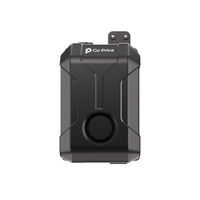
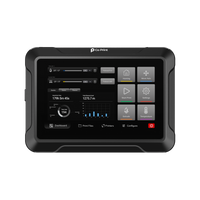
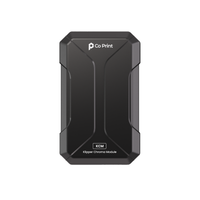
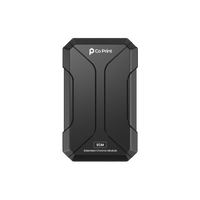

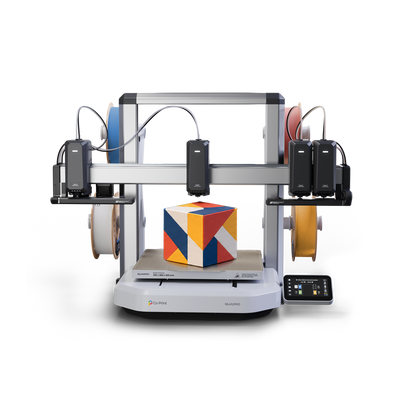
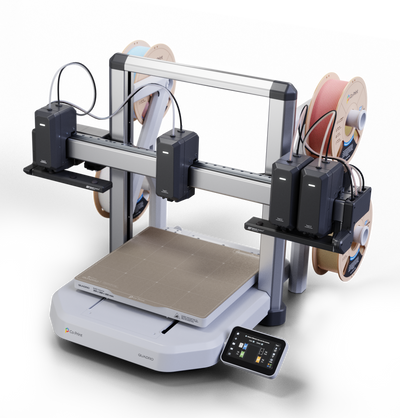


Quadro is Co Print's multicolor 3D printer with four independent toolheads on one X-axis. Each toolhead has its own nozzle, so colors and materials never share one, there is no color-clearing purge and a color change takes about a second. This page answers the most common questions in one place, from how Quadro prints to the Kickstarter campaign, shipping and support.
New to Quadro? Start with Meet Quadro: A Four-Toolhead Multicolor 3D Printer, then use the topics below to jump to what you need.
Topics
- The Basics
- Size and Specifications
- Waste and Zero Waste Mode
- Speed and Print Features
- QDock, QLight and Calibration
- Materials and Filament
- Software: QuadrOS and Co Slicer
- Add-Ons
- Who Quadro Is For
- Kickstarter and Reservation
- Shipping
- Co Print and Existing Users
- Warranty and Support
The Basics
What is Co Print Quadro?
Quadro is a multicolor and multi-material 3D printer. Four toolheads share one X-axis, and every toolhead carries its own extruder, filament path and nozzle. The printer switches color by moving to another toolhead instead of swapping filament through a shared nozzle.
What makes Quadro different?
Every color already sits in its own toolhead. A color change is a toolhead movement of about one second, with no unloading, loading or color-clearing purge. See Why Quadro Doesn't Purge: Multicolor Printing Without Waste and Tool Change Speed: Quadro Switches Colors in About 1 Second.
What does IQEX mean?
IQEX stands for Independent Quad Extruder. It puts four independent toolheads on a single X-axis, each with its own motor, belt and automatic tensioner. IDEX printers have two independent toolheads, IQEX has four. Read IDEX vs IQEX: Two Toolheads or Four?.
How many colors and materials can Quadro print at once?
Four, one per toolhead, in the same job and without swapping filament during the print. There's no purge between them, so nothing is contaminated by a previous material. Each toolhead can hold a different color or a different material, such as PLA, PETG, ABS, TPU, PLA-CF or PVA. For more than four colors, Full Spectrum Color: How Four Filaments Make Many Colors creates additional colors from the four you load.
How do four toolheads work together on one axis?
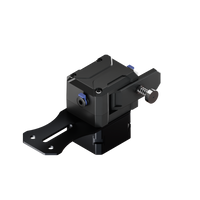
Each toolhead has its own belt, stepper motor and automatic tensioner. Seven motors (four on X, two on Y, one on Z) are coordinated, and idle toolheads park outside the print area so the active one has clear space. See How Four Independent Toolheads Share One X-Axis.
Is Quadro an open-frame or enclosed printer?
Quadro is an open-frame bed-slinger, which gives you full access to the print and keeps PLA, PETG and TPU simple. An optional enclosure add-on will be offered for materials that print best in a stable environment, such as ABS. See 3D Printer Enclosure Add-On: Open Frame vs Enclosed and Bed-Slinger vs CoreXY for Multicolor 3D Printing.
Size and Specifications
How big is the build volume?
300 × 300 × 300 mm, with full access for every toolhead. That allows large multicolor parts in one piece. See Large Multicolor 3D Prints Without Splitting.
What are Quadro's key specifications?
- Four independent toolheads (IQEX) on a single X-axis
- 300 × 300 × 300 mm build volume
- 600 mm/s movement speed and 10,000 mm/s² maximum acceleration
- Up to 24 mm³/s hotend flow and up to 300°C
- Materials: PLA, PETG, ABS, TPU, PLA-CF and PVA
- 4.3-inch, 800 × 480 touchscreen and a 1080p wide-angle camera
- Flexible PEI steel sheet
- About 780 × 620 × 515 mm printer size
See 3D Printer Speed: Movement, Acceleration and Flow Rate for what the speed numbers mean.
Waste and Zero Waste Mode
Does Quadro use a purge tower?
Quadro never purges to clear one color from a shared nozzle, because its colors never share a nozzle. A small priming tower stabilizes extrusion pressure when a toolhead becomes active again after sitting idle. It's a different job from a purge tower. See Why Quadro Doesn't Purge: Multicolor Printing Without Waste.
What is Zero Waste Mode?
Zero Waste Mode prints the pressure-stabilizing extrusion into the model's own infill instead of a separate prime tower. On compatible models that have enough infill, the tower disappears and the material becomes part of the print. See Zero Waste Mode: Multicolor Printing Without a Prime Tower.
Why do single-nozzle multicolor printers waste so much filament?
Every color change requires the previous filament to be cleared from the shared nozzle, and the flushed material becomes purge towers and discarded waste. It grows with every additional color change. See Purge Towers Explained: Why Multicolor Prints Waste Filament.
How much material can Quadro save?
Quadro's four-toolhead architecture produces up to 90% less waste than conventional single-nozzle multicolor systems. The actual figure depends on the model and the number of color changes. Read How Much Filament Does Multicolor 3D Printing Waste? for our measurement and Multicolor 3D Printing Waste Cost: Per Print and Per Year to estimate your own.
Does Quadro's waste grow with more color changes?
Not in the same way. Each filament stays in its own toolhead, so returning to a color doesn't need a purge cycle.
Is Quadro really waste-free?
Quadro removes color-change purge waste. It doesn't claim zero extrusion outside the model, since a small priming extrusion is used to stabilize pressure, unless Zero Waste Mode moves that extrusion into the infill.
Speed and Print Features
How long does a tool change take?
About one second. In real-time footage, Tool 1 to Tool 2 took 1.00 s, Tool 1 to Tool 3 took 1.40 s and Tool 1 to Tool 4 took 1.57 s. The next toolhead starts heating about 30 seconds before it's needed, and the incoming head waits in QDock with its nozzle sealed until the others clear. See Tool Change Speed: Quadro Switches Colors in About 1 Second.
Does Quadro reduce print time?
Color changes take about a second with no unloading, loading or purging, so a multicolor print spends less time on non-printing operations. The saving depends on the model and how many changes it needs. In our test of five 4-color models, Quadro finished up to 70% faster than a toolchanger and a latest-generation large-format bed-slinger, and up to 5X faster than single-nozzle systems.
How fast is Quadro?
Quadro's specification lists 600 mm/s movement speed, 10,000 mm/s² maximum acceleration and up to 24 mm³/s hotend flow. Real print time also depends on the model, the material and the number of color changes. See 3D Printer Speed: Movement, Acceleration and Flow Rate.
Can Quadro print single-color models?
Yes. Quadro prints single-color and multicolor models.
Can Quadro blend colors with full-spectrum printing?
Quadro will support full-spectrum color blending, which stacks thin layers of partly transparent filament so the eye perceives more colors than the filaments you load. See Full Spectrum Color: How Four Filaments Make Many Colors.
What is pressure advance?
When print speed changes, the plastic doesn't follow the extruder instantly, which causes bulges, gaps and swollen corners. Pressure advance compensates for that lag, and the right value is different for every filament. Quadro finds it automatically before every print. See Auto Flow Rate Calibration: Automatic Pressure Advance.
Can I watch my print?
Quadro has a 1080p wide-angle camera that lets you check in from your phone and records a timelapse of every print, a touchscreen that shows progress and the active toolhead, and QLight, which shows each toolhead's status on the machine. See Multi-Toolhead Touchscreen Interface: Inside QuadrOS and QLight: Toolhead Status Lighting on Quadro.
QDock, QLight and Calibration
What is QDock?
QDock is a pair of parking stations at opposite ends of the X-axis, each holding up to three toolheads. Idle toolheads wait there outside the print area with their nozzles sealed. See Inside QDock: How Quadro Parks and Seals Its Toolheads.
Does the next toolhead wait over the print?
No. It waits in QDock with its nozzle sealed, then crosses at full speed and arrives as the other toolheads clear. See Tool Change Speed: Quadro Switches Colors in About 1 Second.
Why are the nozzles sealed?
A sealed nozzle helps keep the filament inside from oozing while the toolhead waits, and it keeps the nozzle ready for when it returns to the print. See Inside QDock: How Quadro Parks and Seals Its Toolheads for what happens during parking.
Do the toolheads collide with each other?
No. Inactive toolheads park outside the print area, so the active one has clear space. See How Four Independent Toolheads Share One X-Axis.
What is QLight?
QLight is a light bar on each toolhead. It shows the color of the filament loaded in that head, highlights the head that is printing while the others dim, and lights only the head you select on the touchscreen. See QLight: Toolhead Status Lighting on Quadro.
Why does QLight matter?
With four toolheads, matching what's on the screen to what's on the machine can turn into counting positions. QLight links the two, so you load the right filament the first time.
How does calibration work?
Quadro calibrates its four toolheads automatically, with wizards on the touchscreen: a Full Self Check (about 7 minutes), Build Plate Leveling (about 4 minutes) and Toolhead Calibration (about 3 minutes). See Multi-Toolhead Calibration: How Quadro Aligns Four Nozzles.
Does Quadro calibrate filament flow automatically?
Yes. Before every print, the load cell in each toolhead measures the response for the filament loaded in it and saves the value, so four toolheads give four values and no test prints are needed. The Full Self Check includes it. See Auto Flow Rate Calibration: Automatic Pressure Advance.
When should I recalibrate?
After maintenance, nozzle changes, transport or any mechanical adjustment that could affect alignment.
Can I control each toolhead manually?
Yes. You can select T1 to T4, move axes in 1, 5 or 10 mm steps, heat, park and calibrate toolheads individually or together. See Multi-Toolhead Touchscreen Interface: Inside QuadrOS.
How rigid is the structure?
Quadro uses a thick bent-edge aluminum bed, a dual-motor Y-axis, a single-piece machined carriage and a braced Z tower. According to the current specification, nearly 70% of the machine is metal. See Rigid Bed-Slinger Mechanics for Four Toolheads.
Why does rigidity matter with four toolheads?
Four nozzles share one coordinate system, so any flex affects how colors and materials line up.
Materials and Filament
Which filament types does Quadro support?
PLA, PETG, ABS, TPU, PLA-CF and PVA. Material presets are available on the touchscreen. See Multi-Material 3D Printing: PLA, TPU, PETG and PVA.
Can I use third-party filament?
Yes. Quadro isn't locked to Co Print filament.
Can I use different materials in one print?
Yes. Each toolhead keeps its own material and its own temperature, so you can combine materials in a single print. Check that the materials are compatible for your design, for example that they bond or interlock as needed.
Does Quadro support flexible materials?
Yes. Quadro supports TPU. Dry it before printing, and design rigid and flexible parts to interlock, since adhesion between the two can be weak.
Can Quadro print soluble supports?
Yes. Quadro supports PVA, and its independent toolheads let PVA stay loaded in its own nozzle next to the model material, so there's no unloading or purging. See PVA Soluble Supports on a Multi-Toolhead 3D Printer.
Can Quadro print ABS?
Yes. ABS prints best in a stable, draft-free environment, so an enclosure helps, and an optional enclosure add-on will be offered. See 3D Printer Enclosure Add-On: Open Frame vs Enclosed.
Do I need a hardened nozzle for carbon-fiber filament?
Carbon-fiber blends such as PLA-CF are abrasive and wear a soft nozzle quickly, so a hardened nozzle is recommended. Nozzle sets will be offered as an add-on. See 3D Printer Nozzle Sizes and Materials: A Quadro Guide.
Does filament need to be dried?
Filament absorbs moisture from the air, and wet filament causes bubbles, stringing and weak parts. PVA, TPU and PETG need drying most. A filament dryer box will be offered as an add-on. See Filament Dryer Box: Why Dry Filament Prints Better.
Can I over-dry filament?
The risk isn't removing too much moisture, it's too much heat, which can soften, fuse or embrittle filament. Use the temperature and time the manufacturer recommends.
What should I check before pairing two materials?
Print temperatures, how well they bond, moisture sensitivity and whether either needs a special nozzle. See Multi-Material 3D Printing: PLA, TPU, PETG and PVA.
Software: QuadrOS and Co Slicer
What is QuadrOS?
QuadrOS is Quadro's operating system. It runs the printer, the touchscreen and the multicolor workflow, and it's built on unforked Klipper. See Open Source 3D Printer: QuadrOS, Klipper and Co Slicer.
What does "unforked Klipper" mean?
Quadro uses Klipper as it is, rather than a modified copy. That keeps it close to the upstream project and open to the community.
What can I do on the touchscreen?
Four main views: a printing screen (progress, temperatures, speed, pause and stop), material control (see where each filament is loaded, load or unload it), calibration wizards and four-toolhead control. See Multi-Toolhead Touchscreen Interface: Inside QuadrOS.
Will Quadro receive updates?
Yes. Ongoing software improvements are planned.
Do I need special software?
Quadro uses Co Slicer, which is built on OrcaSlicer and designed for four toolheads, so the workflow will feel familiar if you've used OrcaSlicer.
Can I use my existing slicer?
Co Slicer is the recommended slicer for Quadro. Compatibility with other slicers is still being tested.
Can I try my own models before buying?
Yes. The Quadro Simulator takes a model sliced in any slicer, including Co Slicer, OrcaSlicer and Snapmaker Slicer, and compares print time and filament waste, showing how Quadro's four toolheads would print it. To see what you could save on filament, use the savings calculator.
How do I print in several colors?
Assign each color or part of the model to one of the four toolheads in the slicer, load the matching filaments and print. See How to Start Multicolor 3D Printing: A Step-by-Step Guide.
Where is Zero Waste Mode set?
Zero Waste Mode is a slicing option that prints the pressure-stabilizing extrusion into the model's infill instead of a prime tower. See Zero Waste Mode: Multicolor Printing Without a Prime Tower.
Is Quadro open source?
Yes. QuadrOS runs on unforked Klipper and Co Slicer is built on OrcaSlicer. Co Slicer's source is on GitHub, and the firmware and slicer sources will be published.
Why does open source matter on a printer?
It gives you control and keeps the printer useful long after launch: you can inspect, adjust and extend the software, and the community can build on it.
Add-Ons
What add-ons will Quadro have?
Quadro's add-ons include the enclosure, a filament dryer or a 4-pack with one dryer per toolhead, a hotend kit with four hardened steel hotends, build plates (PEI, Cool, Carbon Textured or Diamond Textured), filament packs, a spare parts kit and Co Print Care, which extends the warranty to 2 years. Add-ons ship with your Quadro and can be added during the campaign or in the pledge manager afterwards.
Do I need the enclosure?
Not for PLA, PETG and TPU, which print on the open frame. An enclosure helps with ABS and other temperature-sensitive materials. See 3D Printer Enclosure Add-On: Open Frame vs Enclosed.
Why nozzle sets?
Nozzle size trades detail for speed and strength, and abrasive filaments such as PLA-CF need a hardened nozzle. Each toolhead has its own nozzle, so changes are per toolhead. See 3D Printer Nozzle Sizes and Materials: A Quadro Guide.
Who Quadro Is For
Is Quadro only for experienced users?
No. Calibration is automatic, the touchscreen has guided wizards and the slicer is built for four toolheads. If you want deeper control, Quadro runs open-source software. See How to Start Multicolor 3D Printing: A Step-by-Step Guide.
Is Quadro suitable for home use?
Yes. It has an open frame, automatic calibration and no mid-print filament swaps. Check space, materials and ventilation before choosing. See Multicolor 3D Printer for Home Use: What to Consider.
Can kids and families use Quadro?
Color makes 3D printing easy to understand, and a drawing can become a print through AI model generation. As with any 3D printer, adults should supervise because of the hot nozzle and bed. See Multicolor 3D Printing with Kids and in the Classroom.
Is Quadro suitable for print farms and small businesses?
Quadro has a 300 × 300 mm plate and no color-clearing purge, which suits batches of small multicolor parts. Check throughput against your own requirements. See Multicolor 3D Printing for Print Farms: Batches and Waste.
Can I use Quadro for prototyping?
Yes. Four independent toolheads can hold four materials at once, such as a rigid body, a flexible seal and soluble supports. See Multi-Material Prototyping with a Four-Toolhead 3D Printer.
Is Quadro good for hobbyists?
Hobbyists get full-size multicolor prints without the purge pile, plus open-source software to tinker with. See How to Start Multicolor 3D Printing: A Step-by-Step Guide.
What should my first multicolor print be?
Start with a model with a few large color areas and clear boundaries, such as a nameplate or a simple figure. See Multicolor 3D Printing Project Ideas: 5 Prints to Try.
Kickstarter and Reservation
When does Quadro launch on Kickstarter?
Quadro's Kickstarter campaign launches on November 12. Follow the Kickstarter page and the reservation page for updates.
Does joining the notification list count as a purchase?
No. Joining the list only means you'll receive updates.
I already reserved Quadro. What's next?
Pledge during the campaign with the same email you reserved with, using the private link we emailed you. Your reservation holds your benefits but doesn't place a pledge, so you still need to back Quadro on Kickstarter. After the campaign, your Kickstarter email is matched to your reservation: $75 goes back to your Kickstarter payment method and you receive a $25 Co Print Store credit. Stage 1 reservations get $150 back and a $50 credit. Each reservation ticket earns one cashback, and add-ons don't earn cashback.
Is the reservation refundable?
Yes. Reservations are fully refundable. See the reservation page for the current terms.
Can I get a refund on my Kickstarter pledge?
While the campaign is live, you can cancel anytime through Manage your pledge on Kickstarter. After the campaign ends, you can request a refund for 10 days, minus 8% to cover Kickstarter and payment processing fees.
Will early supporters get a special price?
Yes. The Super Early Bird price is $649, $250 off the $899 MSRP, in limited quantity. When it's gone, Quadro moves to the Early Bird price. Reservation holders keep the $649 price for the whole campaign.
Will the Kickstarter version differ from the retail version?
The printer is the same Quadro. Rewards come as the printer alone, bundles such as the Complete Pack, a two-Quadro Duo and a four-Quadro Farm Pack, and optional add-ons. The campaign page lists what each includes.
Where can I see Quadro in person?
Co Print is exhibiting at Formnext 2026 in Frankfurt, 17-20 November, Hall 12.1, Booth G89. See Co Print at Formnext 2026: Quadro Live in Frankfurt.
Shipping
Which countries will Quadro ship to?
Co Print ships Quadro worldwide. Shipping isn't charged on Kickstarter: after the campaign, a survey confirms your address and collects shipping for your region. For destinations not listed on the campaign page, including Türkiye, the Middle East and South America, availability and cost are confirmed individually.
Are some regions excluded?
Co Print aims to deliver worldwide. Remote areas and islands may need additional shipping fees, and some destinations are confirmed individually.
When will Quadro ship?
The Kickstarter estimate is March 2027. Delivery dates on Kickstarter are estimates, and arrival depends on country, shipping route and customs. Rewards ship in pledge order, with reservation holders first. You get tracking by email when your Quadro leaves the warehouse, plus a fulfillment update every month until every order has shipped.
Are taxes and customs included?
No. Shipping fees don't include import duties or VAT. Before your Quadro ships, Co Print tells you exactly what applies in your country.
Co Print and Existing Users
Who makes Quadro?
Quadro is made by Co Print, founded by Fatih Kazım Duymaz and Hüseyin Özen, who started working on multicolor 3D printing in 2019 as university students. Co Print delivered two Kickstarter campaigns for its upgrade kits before Quadro, MFM in 2021 and ChromaSet in 2023, to more than 1,500 backers, and has shipped products to over 10,000 makers in 64 countries. Read Why We Built Quadro: Co Print's Multicolor Story.
Is Quadro for current upgrade kit owners?
It can be. Upgrade kits such as KCM Set for Klipper printers and ChromaSet for Marlin printers add multicolor capability to printers you already own, while Quadro is a complete integrated printer. See Why We Built Quadro: Co Print's Multicolor Story.
Will my existing accessories work with Quadro?
It depends on the accessory. A compatibility guide is planned.
Should I buy an upgrade kit now or wait for Quadro?
They serve different needs. Kits suit people with a compatible printer, and Quadro suits those who want a complete platform. See our Multi Toolhead 3D Printer: 2026 Buying Guide.
Warranty and Support
Is there a warranty?
Yes. Every Quadro reward includes a 1-year Co Print warranty on the printer, or 2 years in the EU, CH, NO and IS. Nozzles, plates and wear parts are covered for 3 months, and local consumer law applies where it gives you more. Co Print Care extends the warranty to 2 years.
Where can I get technical support?
Support teams in the UK and US answer within one business day. Spare parts are stocked in the Co Print Store and with the support teams from the first shipment, and there's a wiki, video guides and an active Discord.
Will there be setup guides and tutorials?
Yes, including onboarding documentation, videos and troubleshooting resources. You can start with How to Start Multicolor 3D Printing: A Step-by-Step Guide and Multi-Toolhead Touchscreen Interface: Inside QuadrOS.
Want to see Quadro in action? See Quadro or visit the Kickstarter page.


