



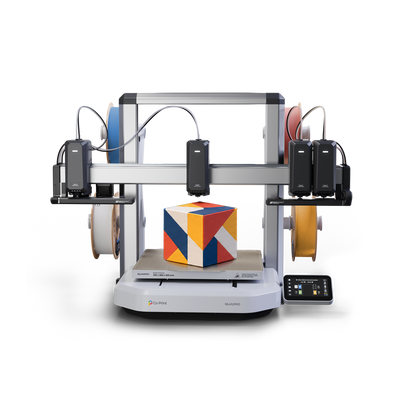
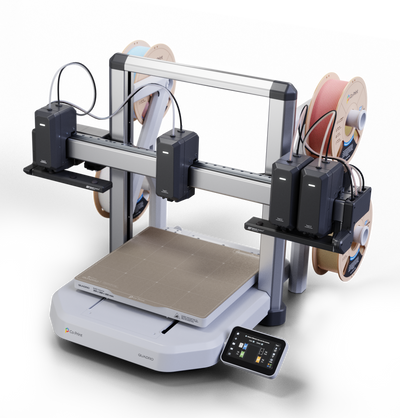


Auto Flow Rate Calibration is Quadro's automatic pressure advance. Before every print, the load cell in each toolhead measures how the filament loaded in it responds and saves the value, so corners stay sharp and lines stay even without a single test print.
Pressure advance is one of the settings that separates a good print from a great one, and one of the least understood. Here is what it does, why it has to be tuned for every filament, and how Quadro does it for you.
The Problem: Plastic Lags Behind the Extruder
Filament doesn't start and stop flowing the instant the extruder does. Molten plastic has to build pressure before it comes out of the nozzle, and it keeps coming out for a moment after the extruder slows down. Whenever the toolhead changes speed, you can see it in the print:
- Bulges and blobs at corners, where the toolhead slows down.
- Thin lines at the start of a move, where the plastic hasn't caught up yet.
- Gaps between lines, and uneven walls.
Pressure advance compensates for that lag. The extruder pushes a little ahead when the toolhead speeds up and eases off before it slows down, so the plastic flows the way the toolhead moves. In Klipper, the firmware QuadrOS runs on, it is a single number for each filament.
Why the Right Value Is Different for Every Filament
That number isn't universal. It depends on how the filament behaves when it's melted: how stiff it is, how it compresses in the hotend, how quickly pressure builds. Two spools of the same material from different brands can need different values, and so can the same brand in different colors. In our own tests, values ranged from about 0.030 on one filament to about 0.060 on another.
Normally you'd find the right one by printing a calibration model, inspecting it, picking the best-looking section and typing the number in. Then you'd do it again for the next filament.
How Quadro Does It
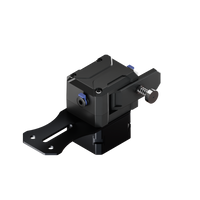
Quadro doesn't need the test print. Before every print, the load cell in the toolhead measures the response for the filament you've loaded and saves the value:
- The toolhead extrudes fast and slow.
- The load cell measures how the filament responds.
- Quadro saves the value for that filament, on that toolhead.
Every toolhead has its own load cell, so four filaments get four values, each measured on the toolhead that prints it. A line comes out the same whether the toolhead is crawling or at full speed, whichever brand of filament you use. See how Quadro calibrates four independent toolheads for the rest of the calibration routines.
What You Skip
- Calibration prints. No test towers or line patterns to print and read.
- Typing values. Nothing to enter in the slicer or the printer.
- Doing it per filament. Swap a spool and the next measurement covers it.
- Repeating it per toolhead. Four toolheads don't mean four rounds of manual tuning.
What It Looks Like
The difference is easiest to see on a model with fine surface detail: with pressure advance off, lines thin out and gaps open at speed changes. With it on, the same model prints with even lines and a clean surface. The comparison below uses the same printer, the same filament and the same model, with only Auto Flow Calibration switched.

What It Doesn't Do
Pressure advance improves quality, not speed. It doesn't change print time or the amount of filament used. What it changes is how the plastic is laid down, so the corners and walls come out the way the model intended. For what does affect speed, read 3D Printer Speed: Movement, Acceleration and Flow Rate.
Part of the Full Self Check
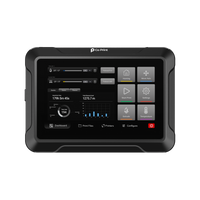
The Full Self Check on the touchscreen runs the whole sequence: home, heat, clean the nozzles, verify positions, map the bed, calibrate flow rate and measure vibration. Auto Flow Rate Calibration is included, and it also runs before each print. See Multi-Toolhead Touchscreen Interface: Inside QuadrOS for the wizards, and Open Source 3D Printer: QuadrOS, Klipper and Co Slicer for the software it runs on.
Key Takeaways
- Pressure advance compensates for the lag between the extruder and the plastic that comes out of the nozzle.
- The right value is different for every filament, so it normally takes test prints to find.
- Quadro measures it before every print with the load cell in each toolhead and saves it automatically.
- Four toolheads, four load cells, four values.
- It improves corners and lines. It doesn't change print time.
Want to see it in action? See Quadro or visit the Kickstarter page.
Frequently Asked Questions
What is Auto Flow Rate Calibration?
It is Quadro's automatic pressure advance. Before every print, the load cell in each toolhead measures how the loaded filament responds and saves the value.
What is pressure advance?
When print speed changes, the plastic doesn't follow the extruder instantly, which causes bulges, thin lines and gaps. Pressure advance compensates for that lag, and the right value is different for every filament.
Do I need to run it myself?
No. It runs before every print, and the Full Self Check includes it.
Does it work with any brand of filament?
Yes. It measures the filament you've loaded, so the value is found for that filament on that toolhead.
Does it make prints faster?
No. It improves print quality, with cleaner corners and more even lines. It doesn't change print time or filament use.


