


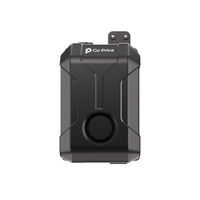
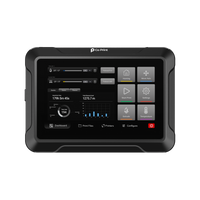
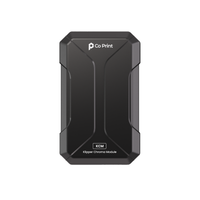
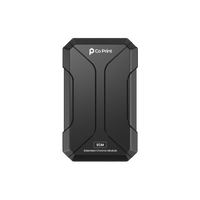



On models with many color changes, Quadro can be substantially faster than an AMS-style multicolor printer. An AMS-style printer has to unload, reload and flush its single nozzle at every change, while Quadro just moves the next toolhead into place in about a second. Quadro targets up to 70% faster multicolor printing in suitable comparisons.
Print speed specs describe how fast a printer moves. On a multicolor print, a large part of the time isn't spent moving over the model at all. It's spent changing color. That's where the two designs differ most.

Where an AMS-Style Printer Spends Its Time
An AMS-style system feeds several spools into one nozzle. Every color change repeats the same cycle:

None of these steps print the model. On a print with hundreds or thousands of color changes, they add up to a large share of the total time, and the flushing also turns into waste. See Purge Towers Explained: Why Multicolor Prints Waste Filament.
What a Color Change Looks Like on Quadro
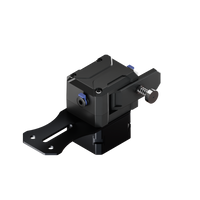
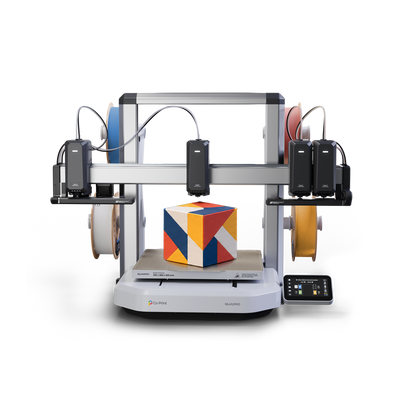
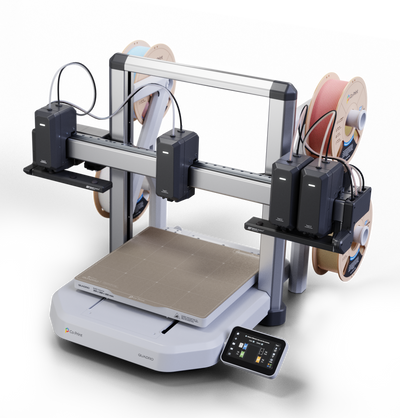
Quadro has four independent toolheads on one X-axis, each with its own filament and nozzle. A color change is a movement: the inactive toolheads move aside and the next one moves in. Nothing is unloaded, reloaded or flushed.

Idle toolheads wait in QDock at standby temperature, so the next one is ready when it's needed. See Tool Change Speed: Quadro Switches Colors in About 1 Second and Inside QDock: How Quadro Parks and Seals Its Toolheads.
Where the Difference Is Biggest
- Many color changes per layer. Every change skips a full unload, reload and flush cycle.
- Tall multicolor models. More layers means more changes, and the saved time adds up layer by layer.
- Batches of small multicolor parts. Plates of keychains or nameplates change color constantly. See Multicolor 3D Printing for Print Farms: Batches and Waste.
Where the Difference Is Small
On a single-color print, or a model with only a few color changes, both designs spend nearly all their time printing, and speed comes down to motion and flow. Quadro's specification lists 600 mm/s movement speed, 10,000 mm/s² maximum acceleration and up to 24 mm³/s hotend flow. See 3D Printer Speed: Movement, Acceleration and Flow Rate.
Total print time also depends on the model, the materials, the profile and how much non-printing movement the job needs. "Up to 70% faster" describes suitable multicolor comparisons, not every print.
AMS-Style vs Quadro at a Glance
| AMS-style (single nozzle) | Quadro (four toolheads) | |
|---|---|---|
| What happens at a color change | Unload, reload, flush | The next toolhead moves into place |
| Time per color change | A full swap and flush cycle | About 1 second |
| Filament flushed per change | Yes | No color-clearing purge |
| Effect of more color changes | Time and waste grow with every change | Each change stays about a second |
| Colors in one job | Expandable with more spools | Four, one per toolhead |
For the waste side of the same comparison, see AMS vs Tool Changer: Which Wastes Less Filament?. For every multicolor design side by side, see Multi Toolhead 3D Printer: 2026 Buying Guide.
Key Takeaways
- On an AMS-style printer, every color change is an unload, reload and flush cycle.
- On Quadro, a color change is a movement of about one second.
- The more color changes a model has, the bigger the time difference.
- Quadro targets up to 70% faster multicolor printing in suitable comparisons.
Want to see a tool change in real time? See Quadro or visit the Kickstarter page.
Frequently Asked Questions
Is Quadro faster than an AMS-style multicolor printer?
It can be substantially faster on models with many color changes, because there is no unload, reload or flush at each change. Quadro targets up to 70% faster multicolor printing in suitable comparisons.
How long does a color change take on Quadro?
About one second. In real-time footage, Tool 1 to Tool 2 took 1.00 s, Tool 1 to Tool 3 took 1.40 s and Tool 1 to Tool 4 took 1.57 s.
Why are AMS-style color changes slower?
All colors share one nozzle, so the printer has to unload the old filament, load the new one and flush the nozzle before it can print again.
Is Quadro faster on every print?
No. On single-color prints or models with few color changes, the difference is small. Total time depends on the model, materials, profile and non-printing movement.
Does faster color changing also reduce waste?
Yes. The flush that slows an AMS-style change is also what creates purge waste, and Quadro skips it.


