





No, Quadro can't print four unrelated objects as four separate jobs at the same time. It has four independent toolheads, but it isn't four printers in one: the toolheads share the bed and the motion system, so they all work on one print job. What four toolheads give you is four colors or materials in that job, with color changes of about a second. You can still fill the plate with several parts and print them together.
"Four independent toolheads" sounds like it could mean four prints at once. It's a fair question, and the answer explains what the design is really for.
Why It's One Printer, Not Four
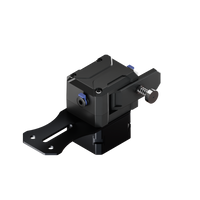
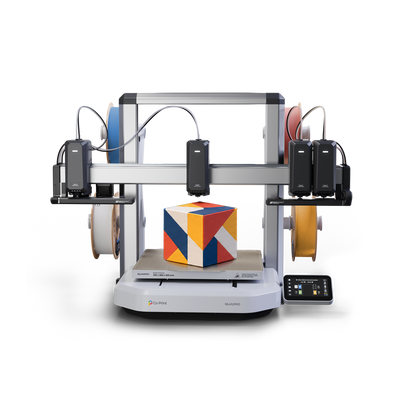
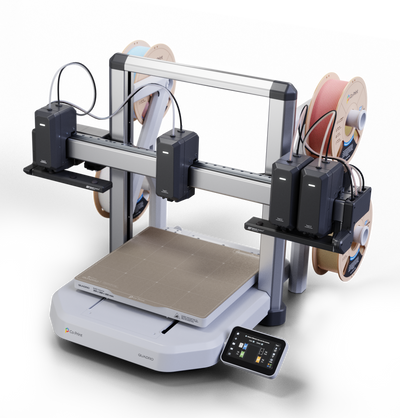
Each of Quadro's toolheads moves independently along the X-axis with its own motor and belt. Everything else is shared. There is one bed that moves in Y, one Z-axis and one print job running on them. The motion controller coordinates the four toolheads with the bed and the Z-axis, and idle toolheads park in QDock at the ends of the axis so the active one has room to work. See How Four Independent Toolheads Share One X-Axis.
Independent here means each toolhead moves, heats and extrudes on its own, so changing color is a movement instead of a filament swap. It doesn't mean four separate machines.
What Four Toolheads Do Give You
- Four colors in one print. Each toolhead holds its own color, with no color-clearing purge between them. See Why Quadro Doesn't Purge: Multicolor Printing Without Waste.
- Four materials in one print. For example a rigid body with flexible parts, or a model with soluble PVA supports. See Multi-Material 3D Printing: PLA, TPU, PETG and PVA.
- Fast color changes. About one second, with nothing unloaded or flushed. See Tool Change Speed: Quadro Switches Colors in About 1 Second.
- The full build volume for every color. All four toolheads reach the whole 300 × 300 × 300 mm volume. See Large Multicolor 3D Prints Without Splitting.
Printing Several Parts on One Plate
You can arrange several parts on the build plate and print them as one job, and each part can use a different color or material. That's how batches of keychains, nameplates or small figures are printed. See Multicolor 3D Printing for Print Farms: Batches and Waste and Multicolor 3D Printing Project Ideas: 5 Prints to Try.
The difference from four separate printers is that the parts start and finish together, as one job, instead of running as four independent prints.
Single-Color Printing
Quadro also prints ordinary single-color models. When a project doesn't need more than one color or material, it works like any other printer, with the full build volume and the same speed specifications. See 3D Printer Speed: Movement, Acceleration and Flow Rate.
What Quadro Can and Can't Do
| Quadro can | Quadro can't |
|---|---|
| Print four colors or materials in one job | Run four separate jobs at the same time |
| Print several parts on one plate as one job | Start and stop parts independently like four printers |
| Use the full 300 mm volume with every toolhead | Give each toolhead its own bed |
| Print single-color models |
Key Takeaways
- Quadro has four independent toolheads, but it's one printer running one job.
- The toolheads share the bed, the Y-axis and the Z-axis.
- Four toolheads mean four colors or materials per print, with about one-second color changes.
- Several parts can share one plate and print together as one job.
Want to see four toolheads working together? See Quadro or visit the Kickstarter page.
Frequently Asked Questions
Can Quadro print four objects at the same time?
Not as four separate jobs. The four toolheads share the bed and the motion system, so they work on one print job. You can place several parts on one plate and print them together.
What does "independent toolheads" mean on Quadro?
Each toolhead has its own motor, belt, filament path and nozzle and moves on its own along the X-axis. That makes a color change a movement instead of a filament swap.
Can each part on the plate be a different color?
Yes. Each part, or each region of a part, can be assigned to any of the four toolheads.
Can Quadro print single-color models?
Yes. Quadro prints ordinary single-color models as well as multicolor and multi-material ones.
Do all four toolheads reach the whole build volume?
Yes. All four toolheads can use the full 300 × 300 × 300 mm volume.


