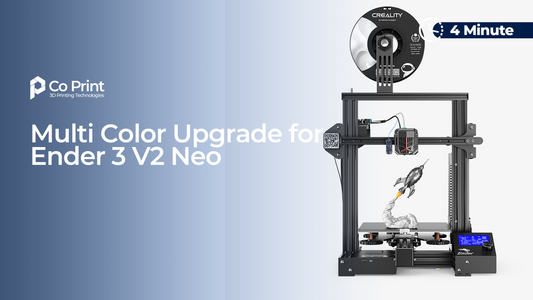
The most common question we hear is a simple one. "Which Co Print kit is right for my printer?" The good news is that the answer comes down to a single factor: your printer's firmware. Once you know whether your machine runs Klipper or Marlin, the choice is clear.
This guide walks you through it in under a minute, so you order the right kit the first time.
The Short Answer
If your printer is Klipper based, you need the KCM Set. If your printer is Marlin based, you need ChromaSet Lite. That is the whole decision. Everything below simply helps you confirm which firmware your printer runs and what each kit includes.
| Your printer's firmware | The kit you need |
|---|---|
| Klipper based | KCM Set |
| Marlin based | ChromaSet Lite |
How to Know If Your Printer Is Klipper or Marlin
Firmware is the software that runs your 3D printer. Two systems dominate the market.
Klipper is the newer, faster system. It uses a more capable control board with a built in mini computer, which is why most current generation printers ship with it. If you own a recent machine like the Creality K1, Ender 3 V3 KE, Sovol SV07 or SV08, or an Elegoo Neptune 4, you are almost certainly on Klipper.
Marlin is the older, simpler system found on many budget and earlier printers. It runs on a basic control board that cannot run Klipper on its own. Printers like the Ender 3 V2, Ender 3 Pro, CR-10, and many Anycubic and Prusa machines run Marlin.
If you are not sure, the fastest way to confirm is our Compatible List. Every supported printer there is already sorted into the correct kit, so you can find your exact model and see which one you need.
If You Have a Klipper Printer: KCM Set
Because Klipper printers already have a capable board with a built in mini computer, they do not need any extra hardware to run the Co Print system. The KCM Set connects directly to your printer's existing system.
The KCM Set includes the ChromaHead toolhead, four CX-I extruders, and the KCM module that manages the color changes. It is the fastest and most direct way to add multi color printing, with no added control computer.
If You Have a Marlin Printer: ChromaSet Lite
Marlin printers use a simpler board that cannot run Klipper by itself, so they need one extra piece to bridge the gap. That piece is the ChromaBox, and it is the heart of ChromaSet Lite.
The ChromaBox is a small controller that comes pre loaded with Klipper and Mainsail. It gives your Marlin printer full Klipper control, then the KCM system connects to it. This lets you add multi color printing to an older or budget machine with a simple setup and a much lower cost than a full control pad.
If you prefer a built in 7 inch touchscreen instead of controlling from your phone or computer, the full ChromaSet with the ChromaPad is the premium Marlin option.
How Many Colors Can You Print?
Both kits work the same way once installed. You can start with 4 colors, step up to 8, and if you want to go further you can add the Extended Chroma Module to scale all the way up to 20 filaments in a single print.
So your firmware decides the kit, not the number of colors. Whichever kit you need, the full color range is open to you.
Still Not Sure Which One You Need?
The safest way to choose is to look up your exact printer. Open the Co Print Compatible List, find your model, and it will show you the right kit and let you add it to your cart in one click.
Order the correct kit the first time, and you can go from single color to full color without replacing the printer you already own.
Frequently Asked Questions
How do I know if my printer is Klipper or Marlin?
Newer printers usually ship with Klipper, while older and budget printers usually run Marlin. The surest way is to find your exact model on the Co Print Compatible List, which already sorts every supported printer into the correct kit.
What is the real difference between the KCM Set and ChromaSet Lite?
The KCM Set is for Klipper printers and connects directly to your machine. ChromaSet Lite is for Marlin printers and adds the ChromaBox, which gives your printer Klipper control first, then runs the same color system.
Can I use the KCM Set on a Marlin printer?
Not on its own. Marlin printers need the ChromaBox in ChromaSet Lite to run Klipper first. Once the ChromaBox is in place, the same KCM color system runs on your Marlin machine.
Do both kits support the same number of colors?
Yes. Both start at 4 or 8 colors and can expand up to 20 filaments with the Extended Chroma Module. Your firmware decides the kit, not the color count.
What if I cannot find my printer on the list?
If your model is not listed, it may not be tested yet. Reach out through the Contact page and the team can tell you where your printer stands.