



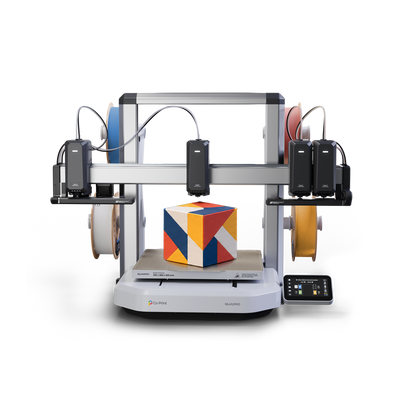
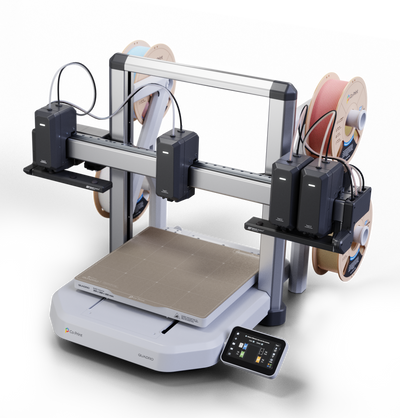


CoPrintSlicer, also called Co Slicer, is the recommended slicer for Quadro. It's built on OrcaSlicer, designed for Quadro's four-toolhead workflow and published as an open-source project on GitHub. You can download it for Windows and macOS from the Releases page, try it before your printer arrives and report beta issues through the GitHub issue tracker.
This is the practical side of Quadro's software: where to get the slicer, what you can do with it now and how to help improve it.
What CoPrintSlicer Is
CoPrintSlicer is a slicer built on OrcaSlicer and developed for the Co Print ecosystem. It handles the parts of a print that are specific to Quadro: assigning colors and materials to four toolheads, preparing multicolor models and settings such as Zero Waste Mode. For the bigger picture of Quadro's open-source software, see Open Source 3D Printer: QuadrOS, Klipper and Co Slicer.
Where to Download It

The official project is at github.com/coprint/CoPrintSlicer. The Releases page has:
- Current downloads for Windows and macOS
- Installation guidance
- Version information and release notes
Read the release notes before installing. They list any beta limitations and hardware-compatibility requirements.
Trying It Before Quadro Arrives
You don't need the printer to start. With the slicer installed you can:
- Get to know the OrcaSlicer-based interface.
- Assign colors to the parts of a model and preview the result.
- Get familiar with the four-toolhead workflow and Zero Waste Mode.
Printer-specific features depend on the current release and its supported printer profiles, so check those before you rely on a feature. When your Quadro arrives, How to Start Multicolor 3D Printing: A Step-by-Step Guide walks through the first print.
How to Report a Beta Issue

- Check the issue tracker and the release notes to see whether it's already known.
- If it isn't, open a new issue and include:
- Your operating system
- Your slicer version
- The printer profile you used
- The steps to reproduce the problem
- Screenshots or logs, if you have them
A clear report with reproduction steps is the fastest way to get an issue fixed. For private customer matters, such as an order or a warranty question, use the Co Print Support Center instead of GitHub.
What About QuadrOS?
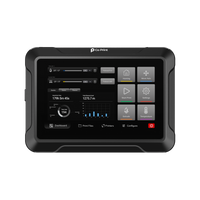
QuadrOS, the operating system on the printer, is built on unforked Klipper and is intended to keep improving through software updates after launch. The touchscreen covers printing, material control, calibration and toolhead control. See Multi-Toolhead Touchscreen Interface: Inside QuadrOS.
Key Takeaways
- CoPrintSlicer is Quadro's recommended slicer, built on OrcaSlicer and open source.
- Windows and macOS downloads are on the GitHub Releases page.
- You can try it before your Quadro arrives.
- Report beta issues on GitHub with your OS, version, profile, steps and screenshots.
Want to try the slicer? Download CoPrintSlicer or see Quadro.
Frequently Asked Questions
Which slicer should I use with Quadro?
CoPrintSlicer, also called Co Slicer. It's built on OrcaSlicer, supports Quadro's four-toolhead workflow and is open source.
Where can I download CoPrintSlicer?
From the Releases page of the official CoPrintSlicer repository on GitHub, which has Windows and macOS downloads, installation notes and version information.
Can I try CoPrintSlicer before my Quadro arrives?
Yes. You can install it and explore the interface, color assignment and four-toolhead workflow. Check printer-specific features against the current release and supported profiles.
How do I report a CoPrintSlicer beta issue?
Check the GitHub issue tracker and release notes first, then open an issue with your operating system, slicer version, printer profile, steps to reproduce and any screenshots or logs.
Where do I go for order or warranty questions?
Use the Co Print Support Center. GitHub is for slicer bugs and feedback.


